
Everything in Trader
- 90features
- 18areas
- 42reports
- 16invoice designs
Dashboard
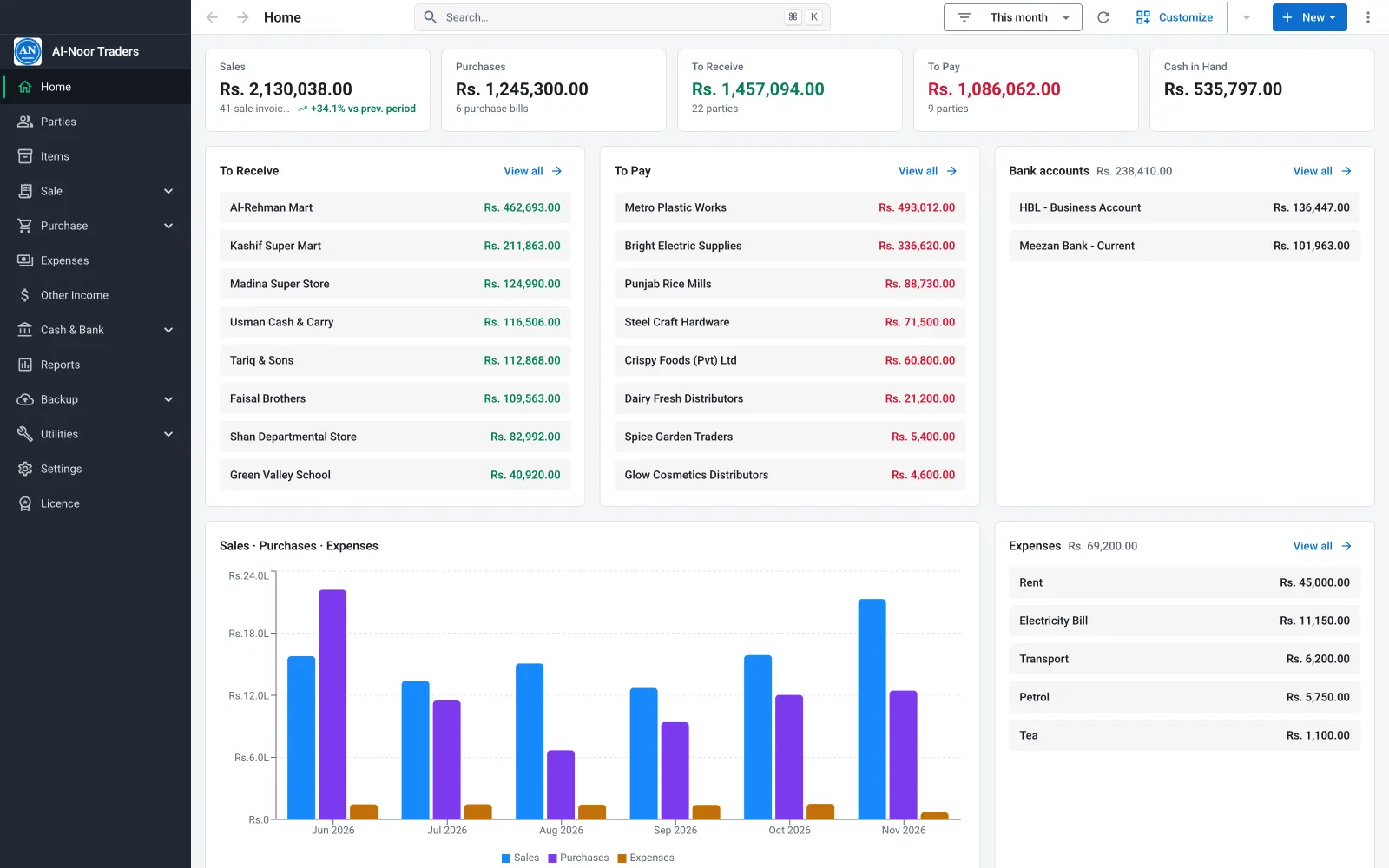
Open Trader and see how the business is doing today, on one screen.
Key figures at a glance
Sales, purchases, money to receive, money to pay and cash in hand, compared with the last period.
Stock and open documents
See stock value, open orders, delivery challans and open cheques without opening a report.
Who owes whom
Lists of who owes you, whom you owe, bank balances, expenses, other income and loans.
Low stock and expiring
Never run out of a fast seller, and never sell stock past its expiry date.
Turn on in SettingsSales and purchase trend
A simple chart shows which way the month is going.
Sales and billing
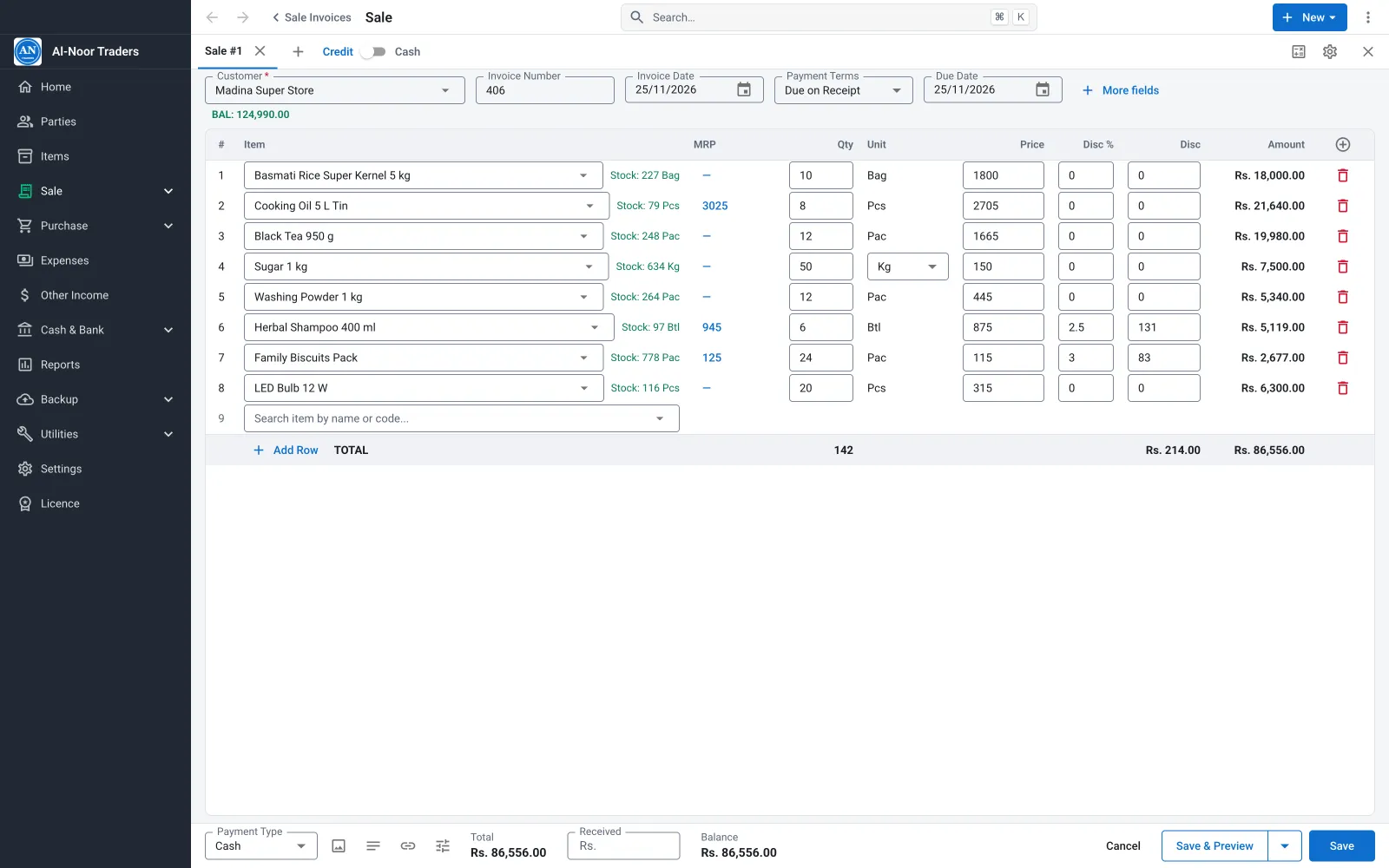
Fast, keyboard-first billing for the counter and the office. Quotes, orders, challans and returns are there when you need them.
Fast sale invoices
Bill from the keyboard with units, discount, tax, free quantity and round-off, on cash or credit.
Estimates and quotations
Send a quotation, then turn it into a sale bill with one click.
Turn on in SettingsSale orders
Take the order now and convert it to a sale bill when you deliver.
Turn on in SettingsDelivery challans
Send goods with a challan, with or without amounts, and record challan returns.
Turn on in SettingsSale returns
Record goods returned by customers as a credit note, and stock and balances update.
Turn on in SettingsPayment In
Record money received, link it to the bills it pays and allow a discount on payment.
Duplicate, PDF and preview
Copy any document, open it as a PDF or preview it as a delivery challan.
Wholesale price
Set a wholesale rate with a minimum quantity, and Trader applies it on the bill.
Turn on in SettingsParty-wise rates
Remember each customer's rate, see their last 5 prices and the purchase price while billing.
Turn on in SettingsExtra bill details
Add up to 3 extra charges, transport and vehicle number, PO details, reference number and time.
Turn on in SettingsBarcode scanning
Scan an item's barcode and it lands straight on the bill.
Turn on in SettingsPayment QR on invoices
Print a Raast or IBAN "Scan to pay" QR code so customers pay you faster.
Turn on in Settings
Purchases
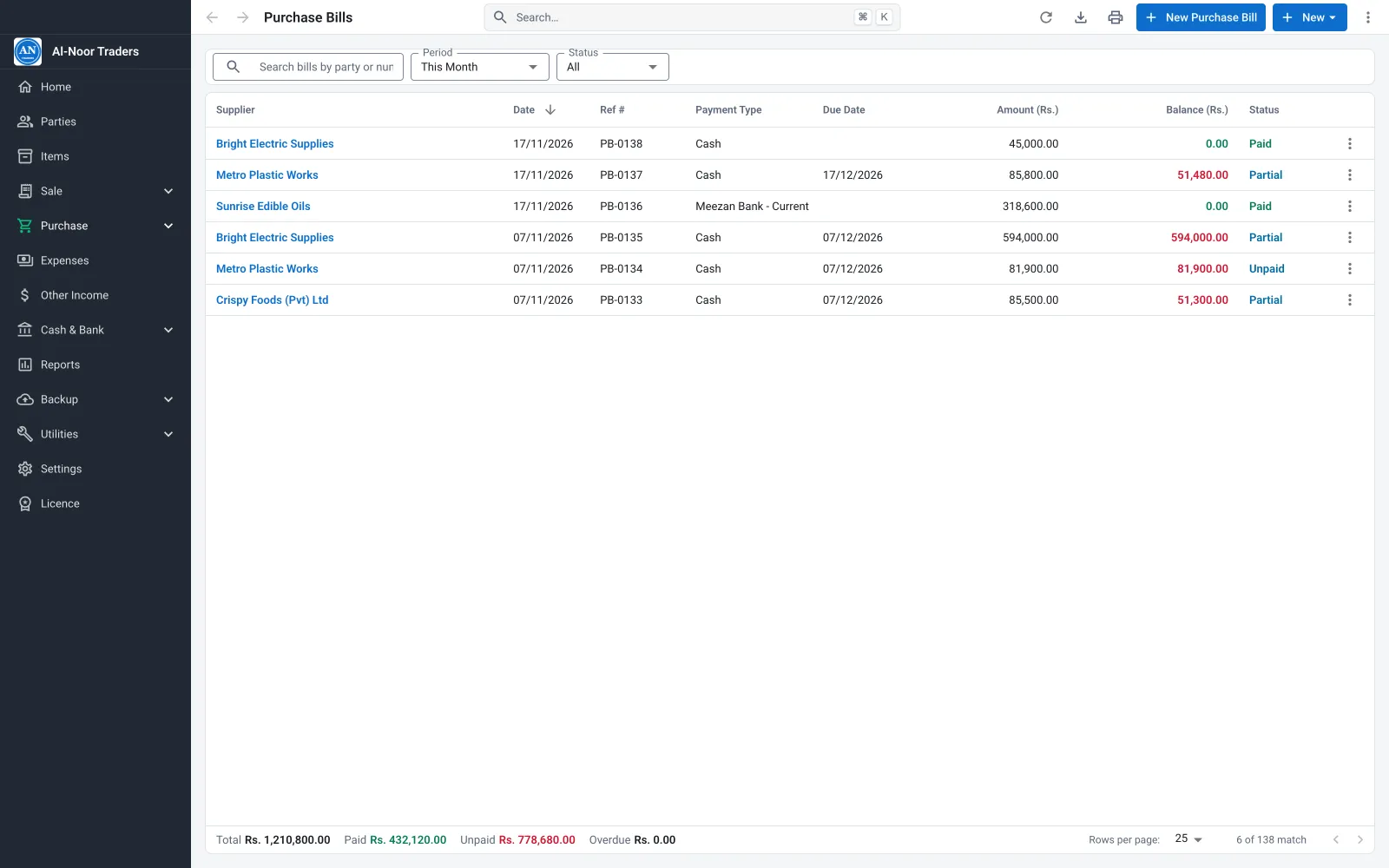
Record what you buy and what you pay suppliers, so stock and balances stay right.
Purchase bills
Enter supplier bills, and your stock and supplier balance update on their own.
Payment Out
Record payments to suppliers and see what you still owe each one.
Purchase orders
Send an order to a supplier and convert it to a purchase bill when goods arrive.
Turn on in SettingsPurchase returns
Return goods to a supplier with a debit note, and stock and balances follow.
Turn on in SettingsUpdate sale price
When the purchase rate changes, update the item's sale price from the same bill.
Turn on in Settings
Parties
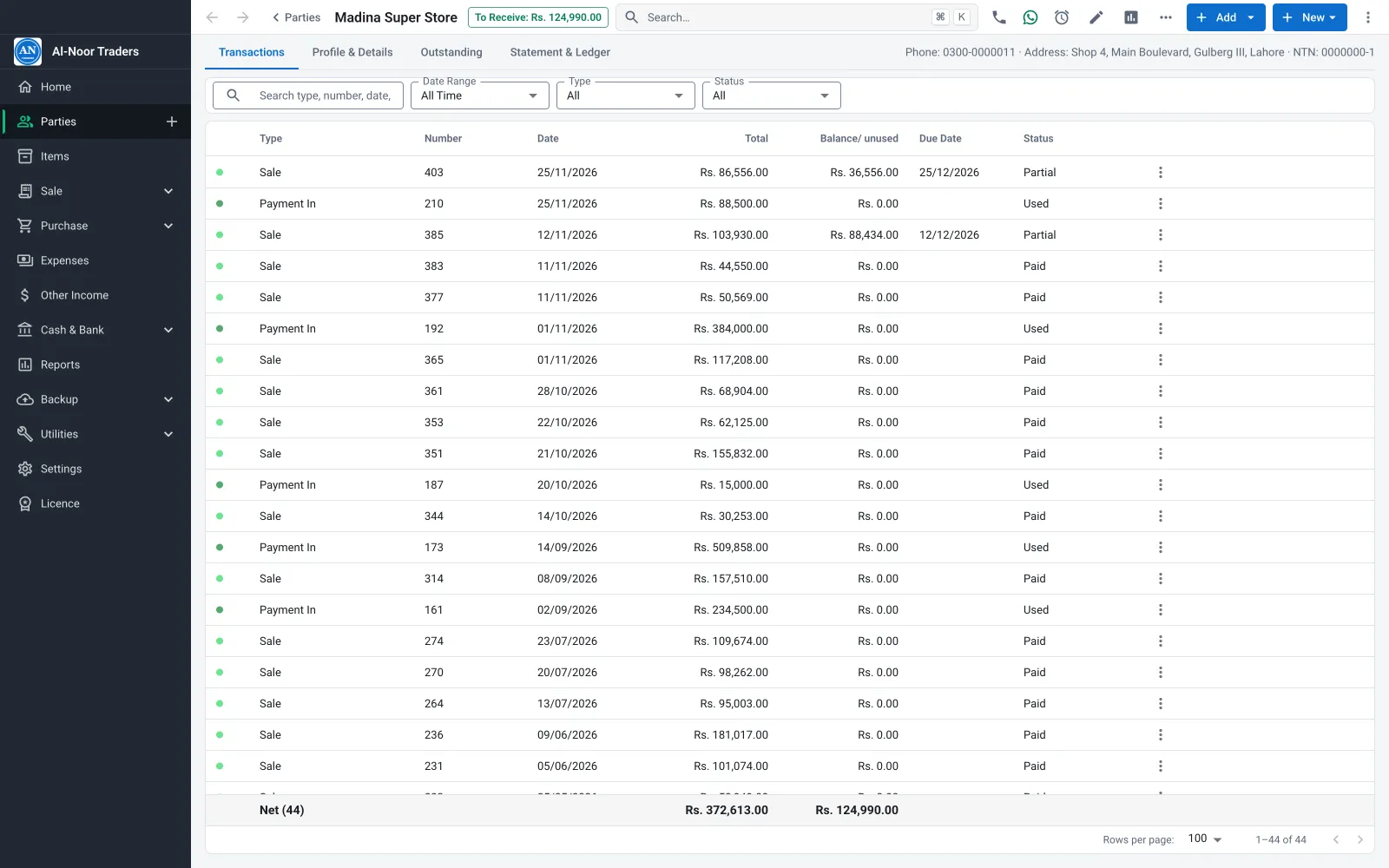
Every customer and supplier with a running ledger, so you always know who owes what.
Customers and suppliers
Opening balance, money to receive or pay, and a running ledger for every party.
Party groups
Group parties by area, route or type, and report on each group.
Turn on in SettingsWhatsApp payment reminders
See every party with money due, then send a reminder on WhatsApp or set a date.
Turn on in SettingsCredit limits and terms
Credit limit, payment terms, party codes, shipping address, NTN/STRN, province and previous balance on bills.
Turn on in SettingsParty statement
Print or save a clear statement for any party and date range.
Party-to-party transfers
Move a balance from one party to another with a single entry.
Import parties from Excel
Bring your customer and supplier list from Excel instead of typing it again.
Items and stock
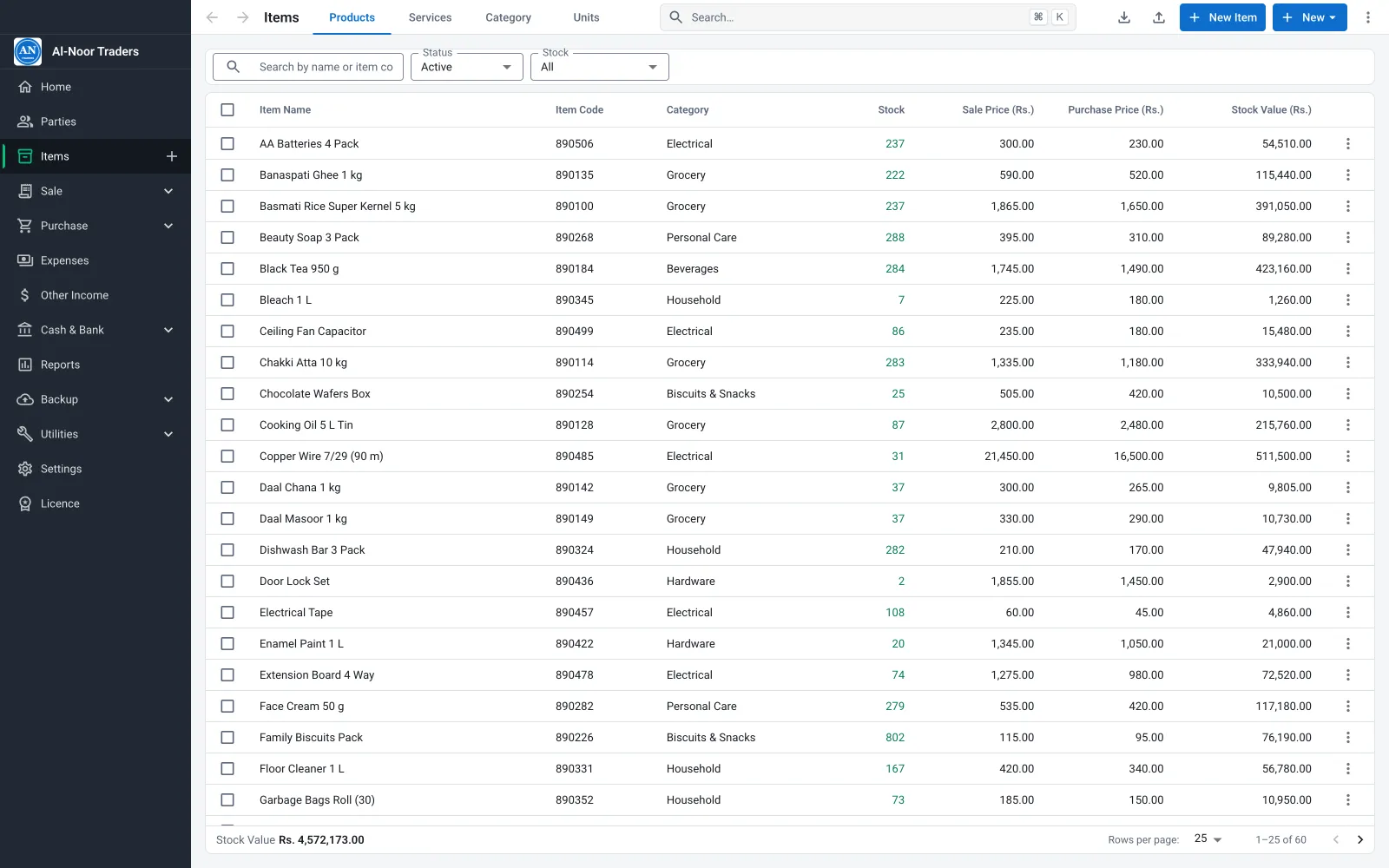
Products and services with units, codes, batches and expiry. Stock moves with every bill.
Products and services
Keep items with categories, codes, descriptions and images, and mark old ones inactive.
Units and conversions
Buy in cartons, sell in pieces: set conversions and pick the unit on each line.
Stock tracking and alerts
Know your stock value at any time and get a warning when an item runs low.
Turn on in SettingsBatch, expiry and serials
Track batch number, expiry, manufacturing date, MRP, size and serial or IMEI number.
Turn on in SettingsBarcode labels
Create a barcode for items that have none, then print the labels.
Stock adjustment
Correct stock after a count, damage or loss, with a record of each change.
Decimal quantities
Sell by weight or length with decimal quantities and a default unit.
Turn on in SettingsImport items from Excel
Load your item list from Excel, check every row, then import the good ones.
Cash and bank
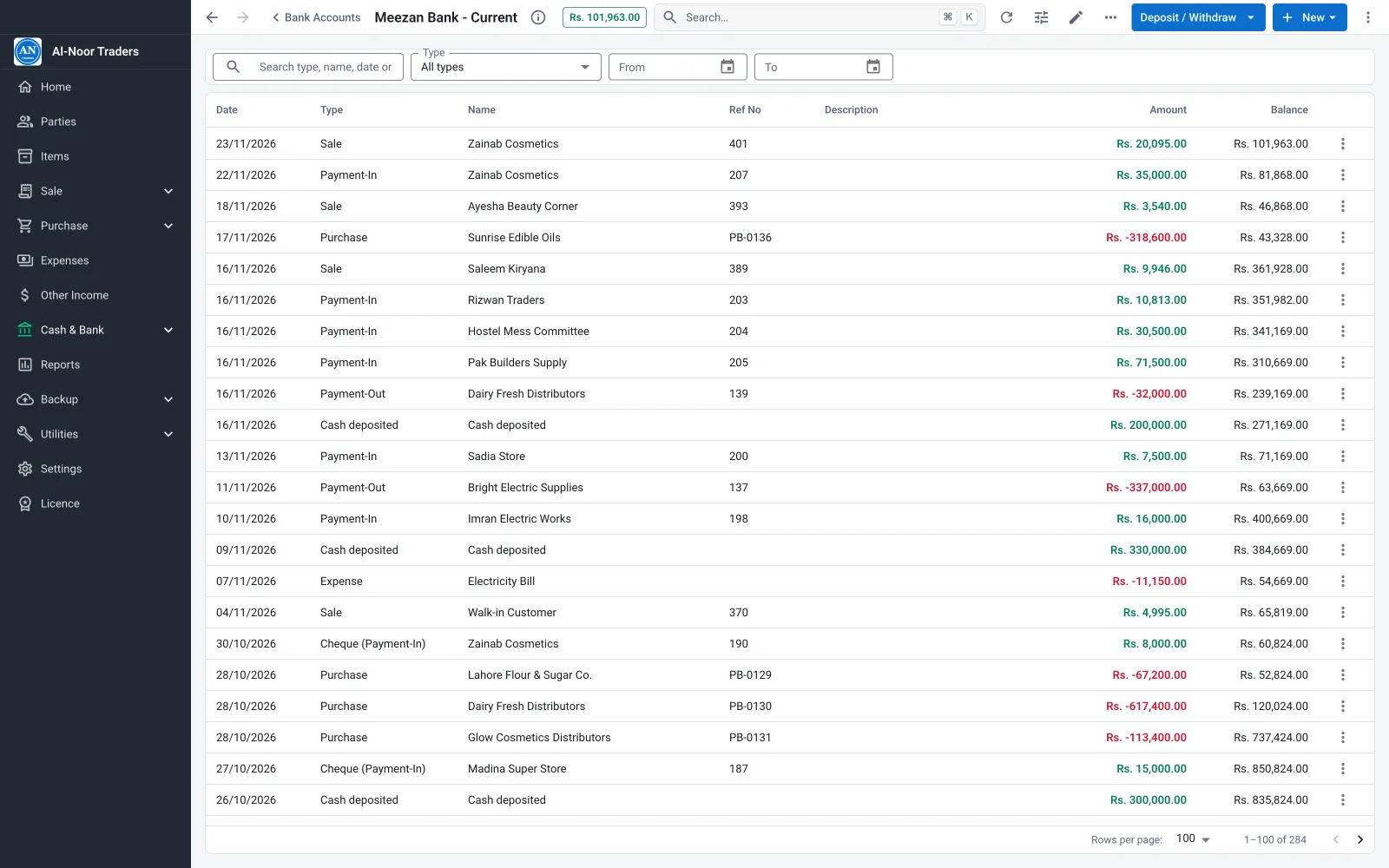
Cash in hand, bank accounts, cheques and loans in one place, always matching your books.
Bank accounts
Record deposits, withdrawals and transfers, and share your bank details on WhatsApp or e-mail.
Cash in hand
See the cash you should have, and adjust it after counting the drawer.
Cheques
Follow every cheque received or paid until it is deposited or transferred.
Loan accounts
Track loans taken, instalments and interest, with a loan statement.
Account adjustments
Fix a bank or cash balance with a clear adjustment entry.
Expenses and other income
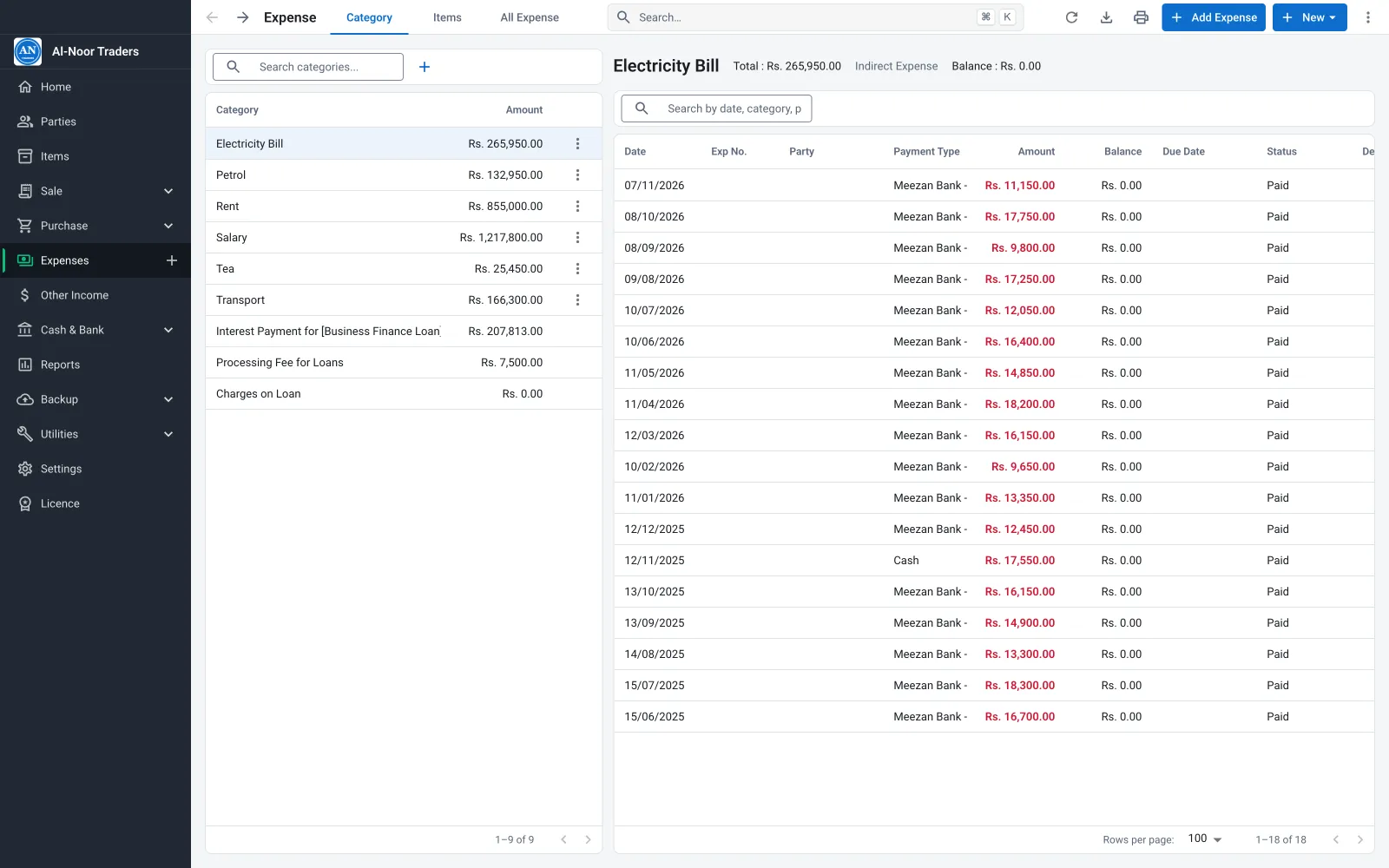
Know where the money goes, and record income that is not from sales.
Expenses
Record expenses by category and item, then see totals for any date range.
Other income
Record rent, commission or other income by category, outside your sales.
Turn on in Settings
Reports
42 reports, from day book to balance sheet. Every report prints, saves as PDF and exports to Excel or CSV.
Transaction reports
Sale, purchase, day book, profit and loss, cash flow and balance sheet.
Party reports
Party statement, party-wise profit, last activity and sales by party or group.
Stock and item reports
Stock summary, low stock, batches, serials, item-wise profit and discounts.
Business status reports
Bank statement, discounts and tax reports for any period.
Expense reports
Expenses by category and item, with a graph of where the money went.
Order reports
Open sale and purchase orders, and the items on them.
Turn on in SettingsOther income reports
Other income by category and item.
Turn on in SettingsLoan statement
Every loan entry, instalment and interest payment on one statement.
Print, PDF and Excel
Print any report, save it as PDF, or export it to Excel or CSV.
One click to turn on
A report you have not switched on shows a button that takes you to its setting.
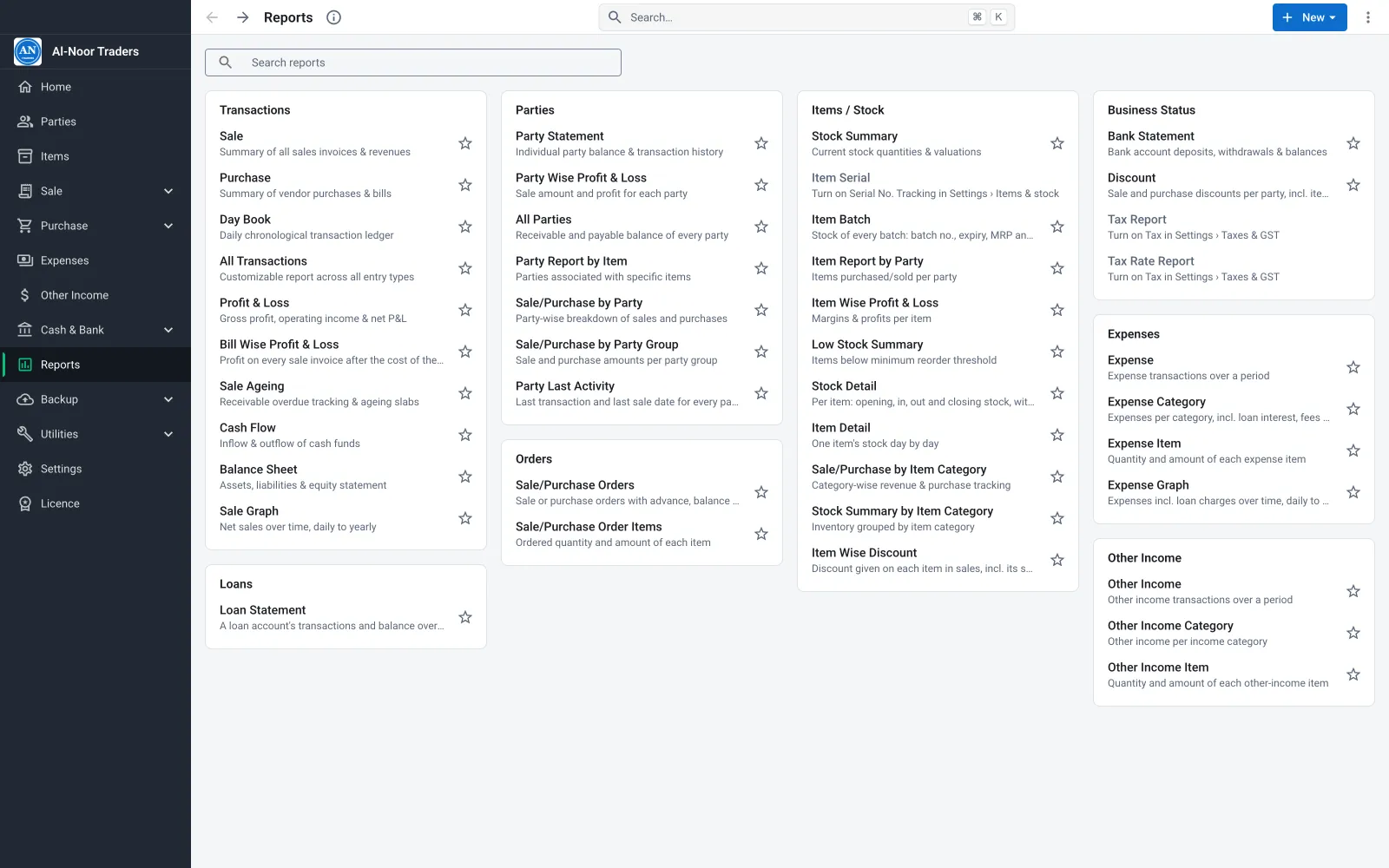
All 42 reports
Reports marked * appear when the matching feature is turned on in Settings.
| Sale |
| Purchase |
| Day Book |
| All Transactions |
| Profit & Loss |
| Bill-wise Profit & Loss |
| Sale Ageing* |
| Cash Flow |
| Balance Sheet |
| Sale Graph |
| Party Statement |
| Party-wise Profit & Loss |
| All Parties |
| Party Report by Item |
| Sale/Purchase by Party |
| Sale/Purchase by Party Group* |
| Party Last Activity |
| Stock Summary* |
| Item Serial* |
| Item Batch* |
| Item Report by Party |
| Item-wise Profit & Loss |
| Low Stock Summary* |
| Stock Detail* |
| Item Detail* |
| Sale/Purchase by Item Category* |
| Stock Summary by Item Category* |
| Item-wise Discount |
| Bank Statement |
| Discount* |
| Tax Report* |
| Tax Rate Report* |
| Expense |
| Expense Category |
| Expense Item |
| Expense Graph |
| Sale/Purchase Orders* |
| Order Items* |
| Other Income* |
| Other Income Category* |
| Other Income Item* |
| Loan Statement |
Printing
Bills that look like your business, on the paper you already use.
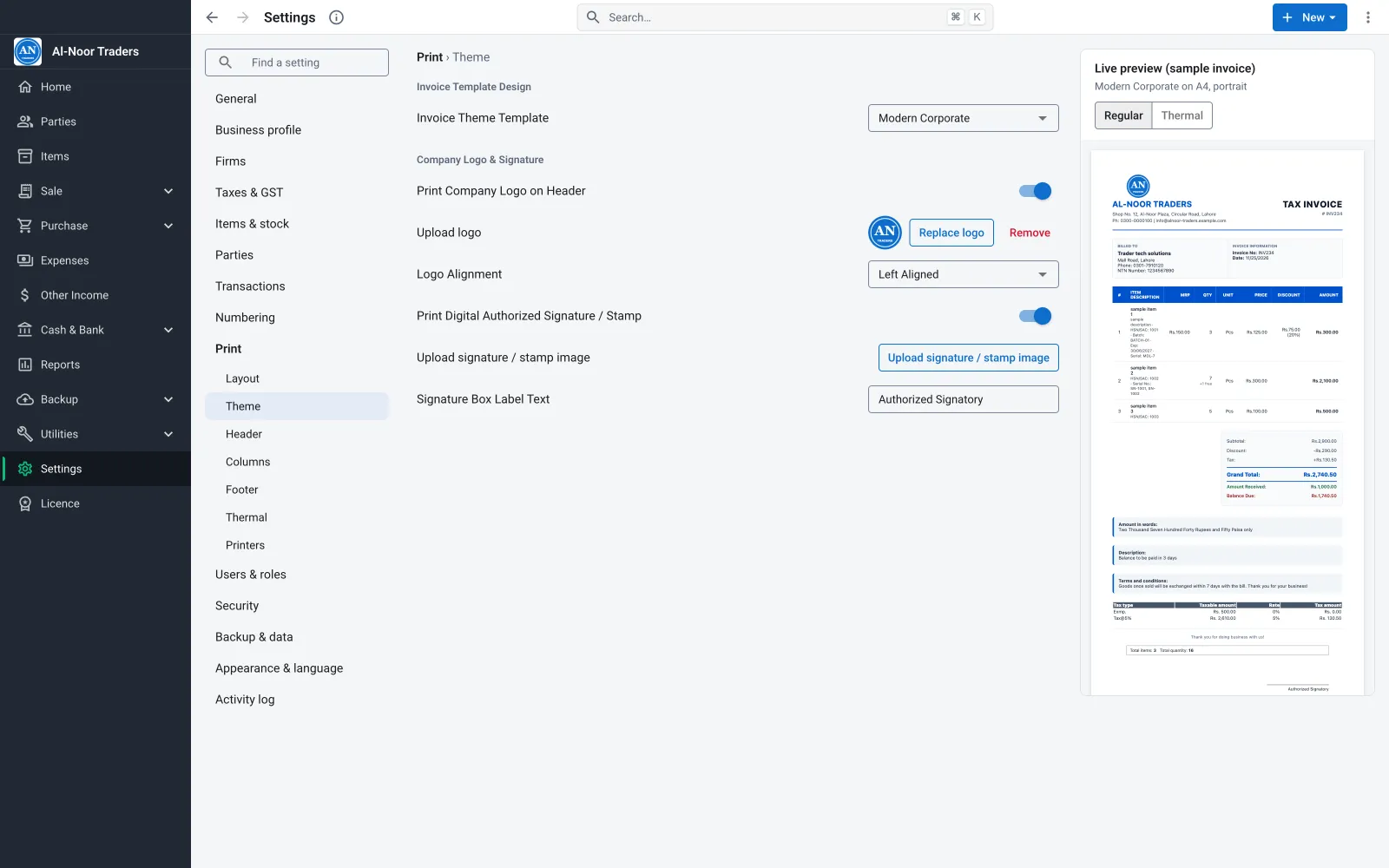
16 invoice designs
Choose from 16 invoice designs in 24 colours, with a live preview as you change them.
Any paper size
Print on A4, A5, Letter or Legal, portrait or landscape, with your own margins.
Choose bill columns
Show or hide about 25 columns, such as batch, expiry, MRP, discount and tax.
Thermal receipt printing
Print 2, 3 or 4 inch receipts with your header, copies, auto-cutter and cash drawer.
Default printer per document
Send bills straight to the right printer, or choose the printer every time.
PDF and print preview
Preview, print or save any document as a PDF before you send it.
Several businesses
Run more than one business from the same app, each with its own name, logo and numbering.
Several firms, one file
Each firm gets its own invoice prefix, bank account, logo and signature.
Turn on in SettingsSeparate companies
Keep fully separate company files and switch between them, just like Trader v8.
Users and roles
Give staff their own sign-in and decide exactly what each person can see and do.
Users and permissions
Admin and salesman roles, with view, add, edit and delete rights per area.
Salesman view
A salesman sees only their own records and the reports you allow.
Activity log
See who added, changed or deleted what, and when.
Security
Keep your accounts private, even on a shared counter PC.
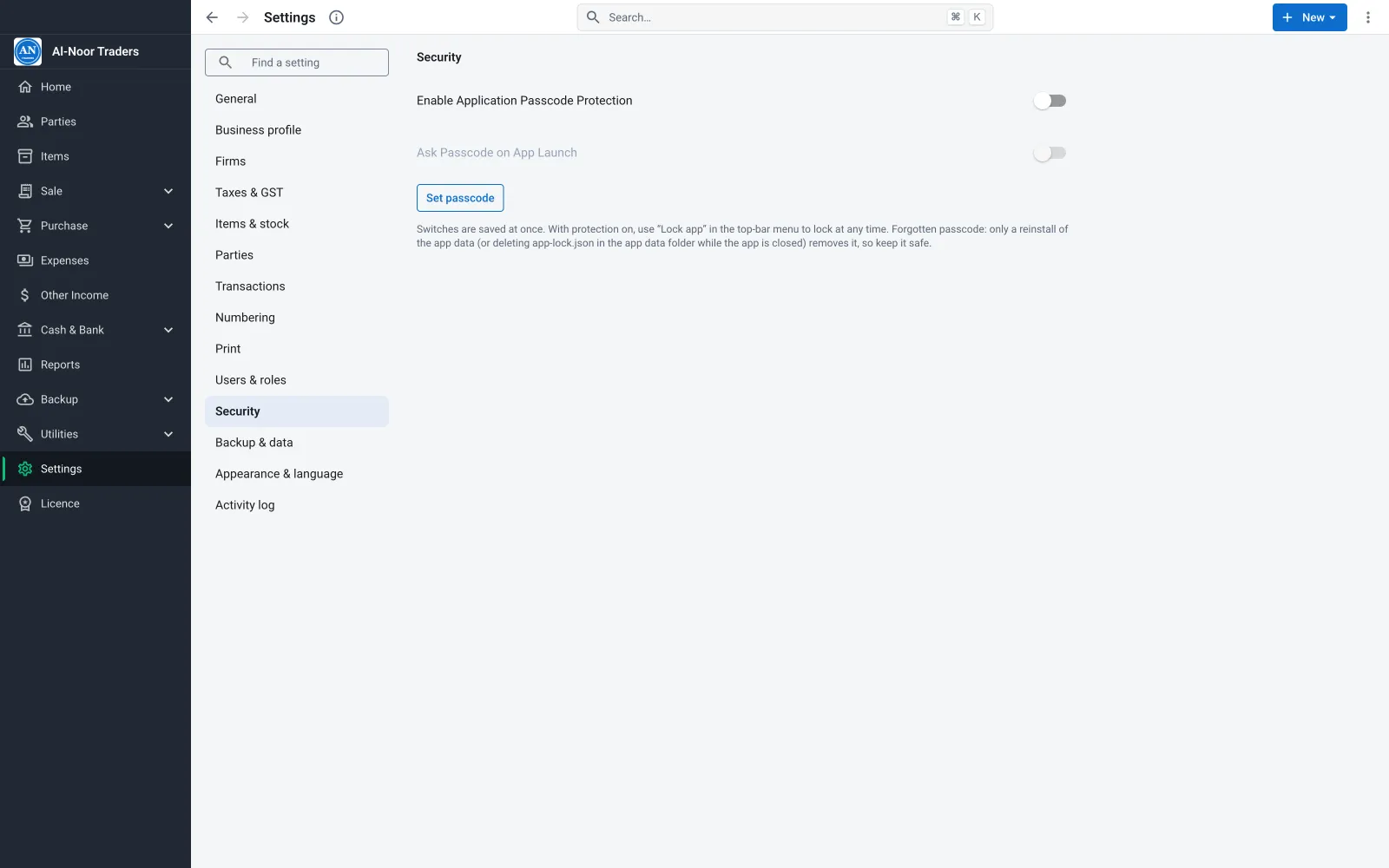
App passcode lock
Lock Trader with a passcode when you step away from the counter.
Edit and delete passcode
Ask for a passcode before anyone edits or deletes a bill.
Turn on in Settings
Backup and restore
Your data is on your PC, so Trader helps you keep a safe copy of it.
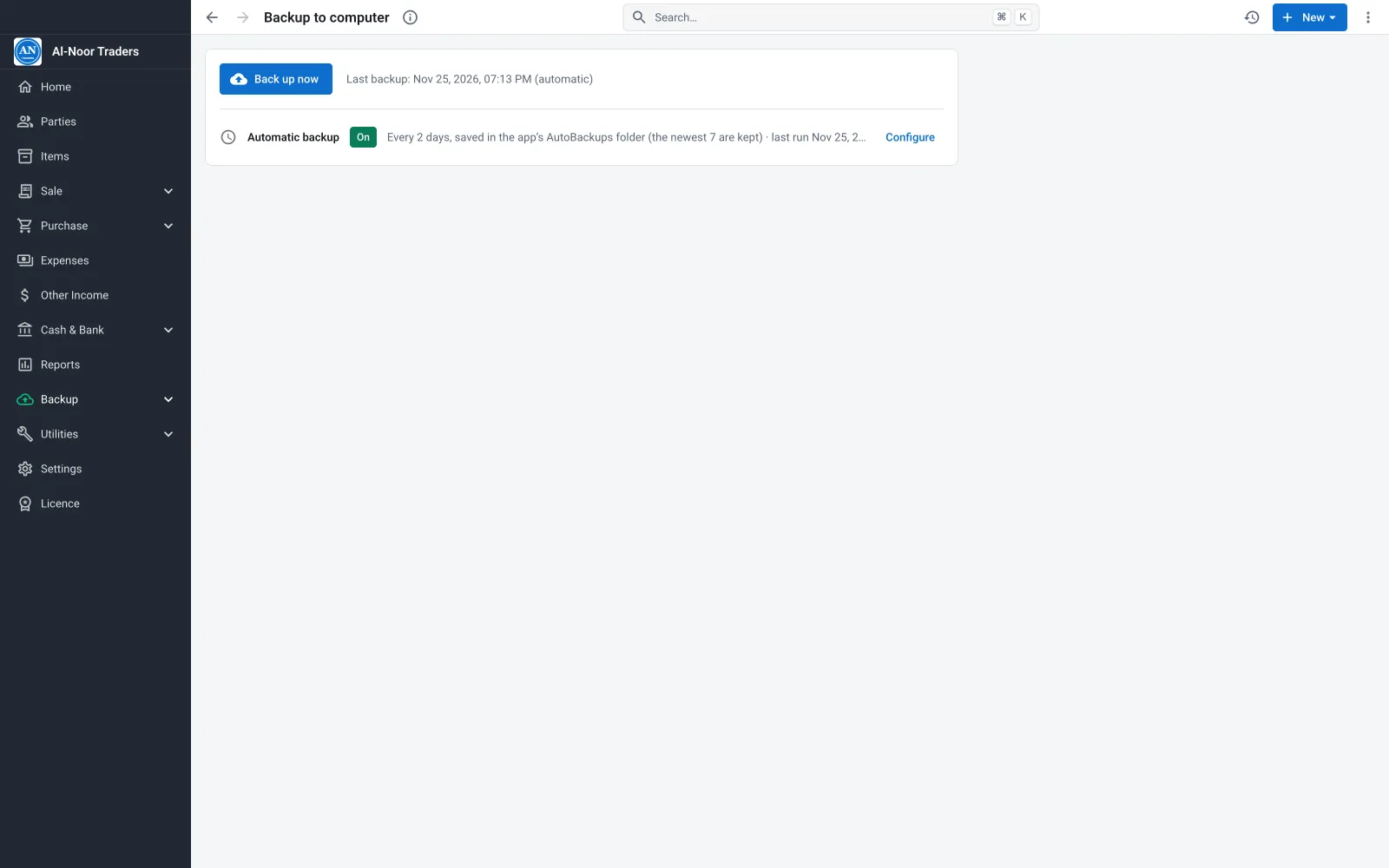
Back up now
Save a full backup to a .zip file on your computer or a USB drive.
Automatic backups
Trader backs up on its own every few days and reminds you when it is due.
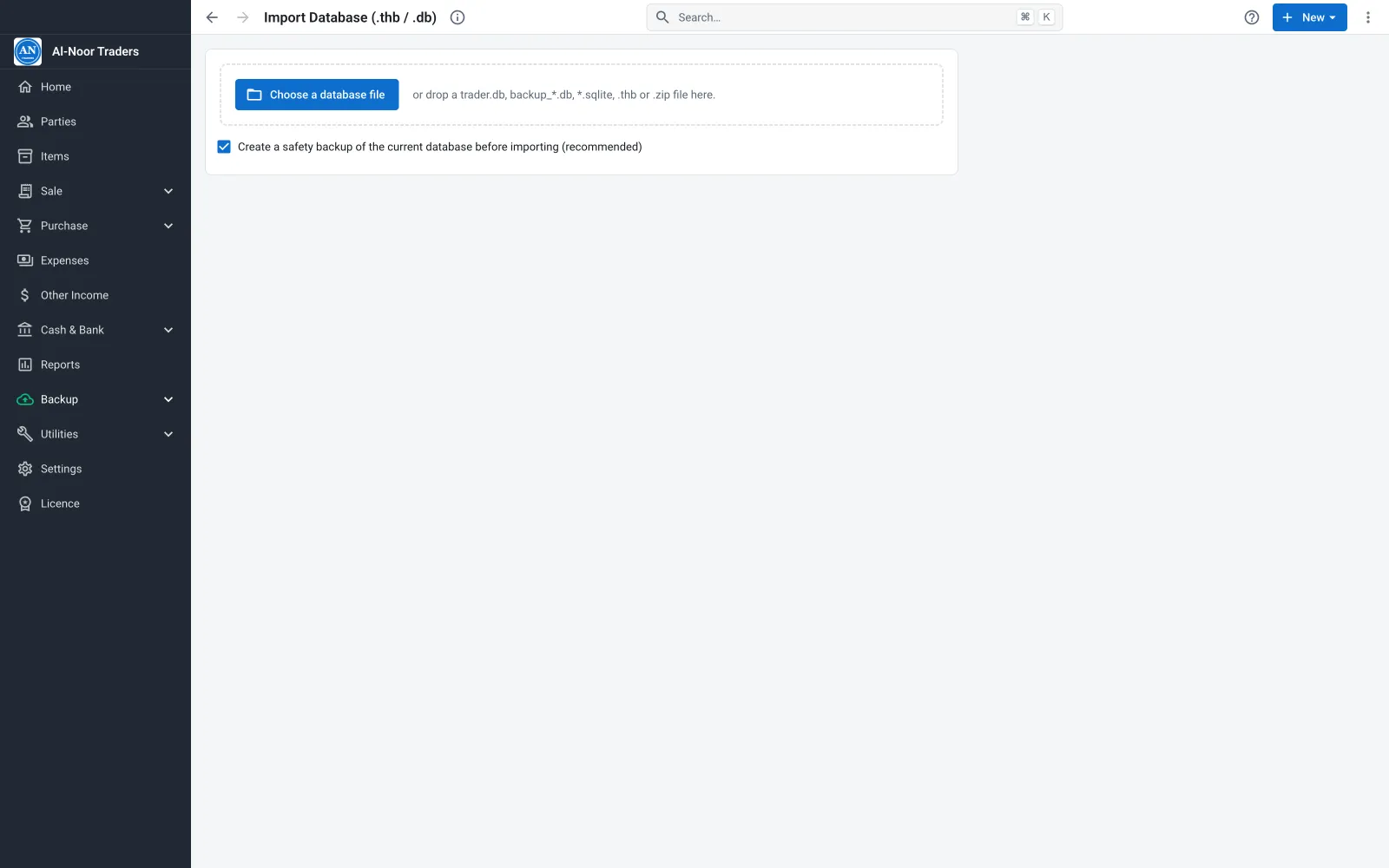
Restore in minutes
Restore from a Trader backup, including old Trader v8 backup files.
Bring your data
Coming from Trader v8 or Excel? Keep your history and start where you left off.
Move from Trader v8
Copy your Trader v8 companies in. Trader v8 and its files are not changed.
Import from Excel
Map your columns, check every row, then import parties and items in one go.
Utilities
Small tools that keep your books tidy and your work quick.
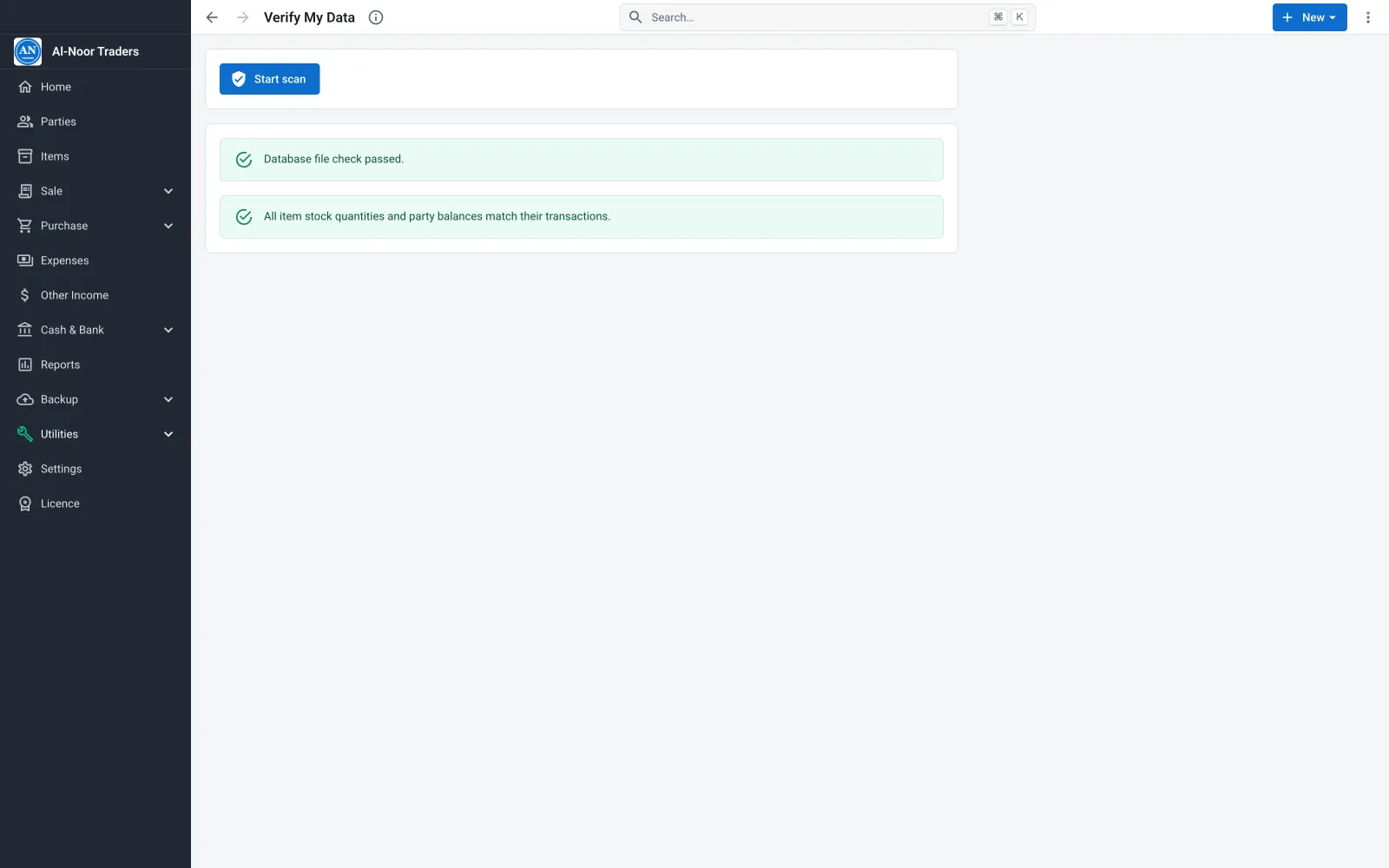
Verify my data
Check your company file for problems before they grow.
Close financial year
Close the year and carry balances forward into a fresh book.
Diagnostics
See the app and data details that help support solve a problem quickly.
Keyboard shortcuts
Every menu has a shortcut, and "+" buttons add a bill or party fast.
Search everything
Find any party, item, bill or screen from the search box at the top.
Settings
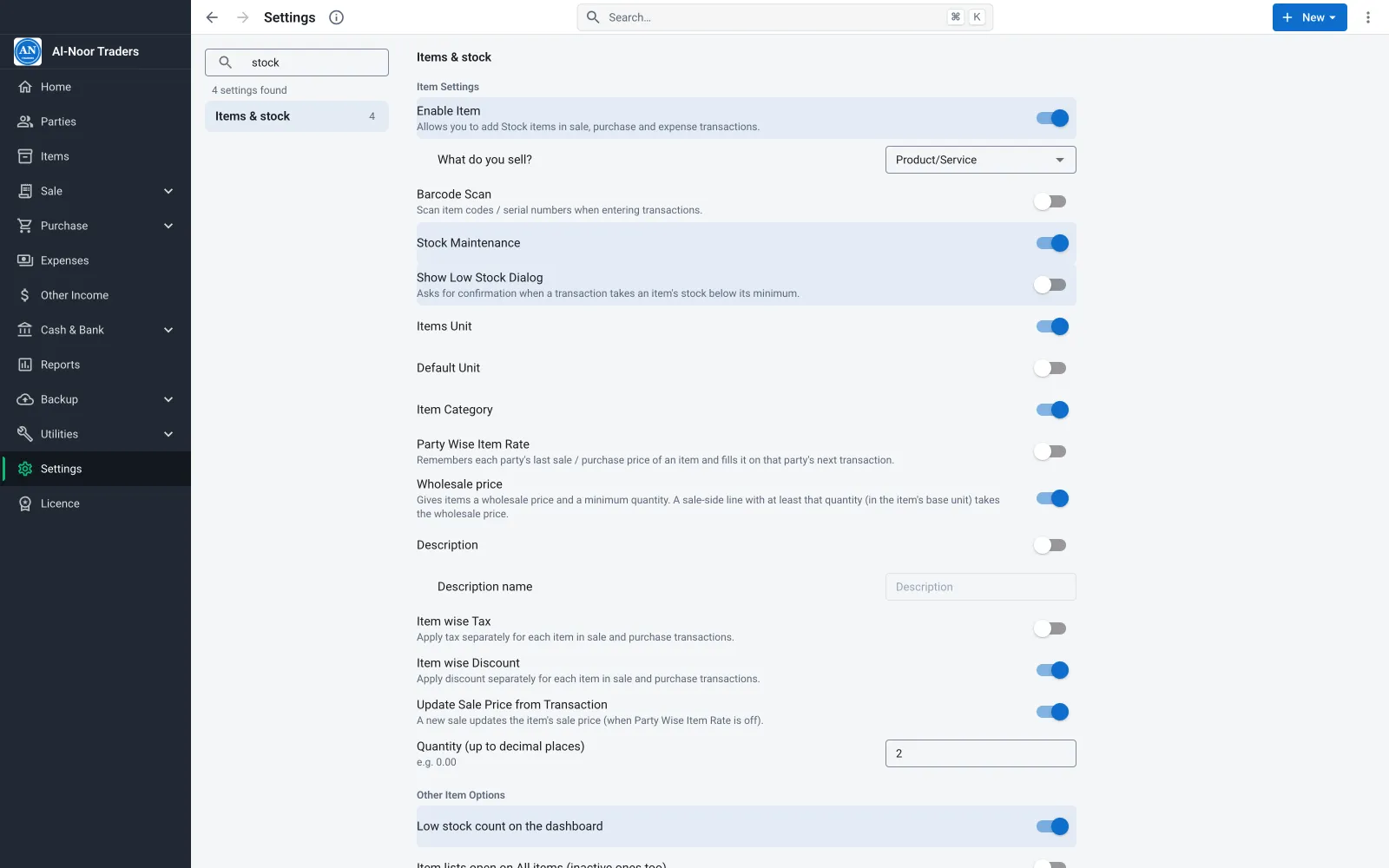
Trader fits your business, not the other way round. Turn features on only when you need them.
About 155 settings
Fine-tune billing, numbering, tax, printing, items and parties across 14 sections.
Search your settings
Type what you want to change and jump straight to the right switch.
Licence and trial
Try everything free, then buy a licence the way you prefer to pay.
30-day free trial
Use every feature for 30 days. No sign-up and no card needed.
Plans inside the app
See current plans and offers in the app, then pay by bank transfer or Raast.
Key sent to you
After payment your licence key arrives in the app, or we send it on WhatsApp.
Works between checks
The licence checks in online from time to time; daily work needs no internet.
Offline desktop app
A proper Windows app that keeps working when the internet does not.
Works offline
Bill, print and run reports with no internet connection.
Data on your PC
Your accounts are stored on your computer. No cloud account is needed.
Clean, modern window
A clean title bar with a search box that opens any screen.
Light and dark mode
Work in light or dark mode, whichever is easier on your eyes.
Start with Windows
Trader can open on its own when the PC starts.
Turn on in Settings