
Billing and accounts for your business, offline.
Trader makes bills, tracks stock and keeps your accounts on your own Windows PC. Built for trading businesses in Pakistan.
30-day free trial. No sign-up, no card.
- Works offline
- Data stays on your PC
- Pakistan-ready: Rs, NTN/STRN, Raast QR
- 30-day free trial
- Import from Trader v8 and Excel
Made for the way you trade
Bill in seconds
Know your stock
Collect what is owed
See your real profit
Print it your way
Your data, your PC
Everything in Trader
See Trader at work
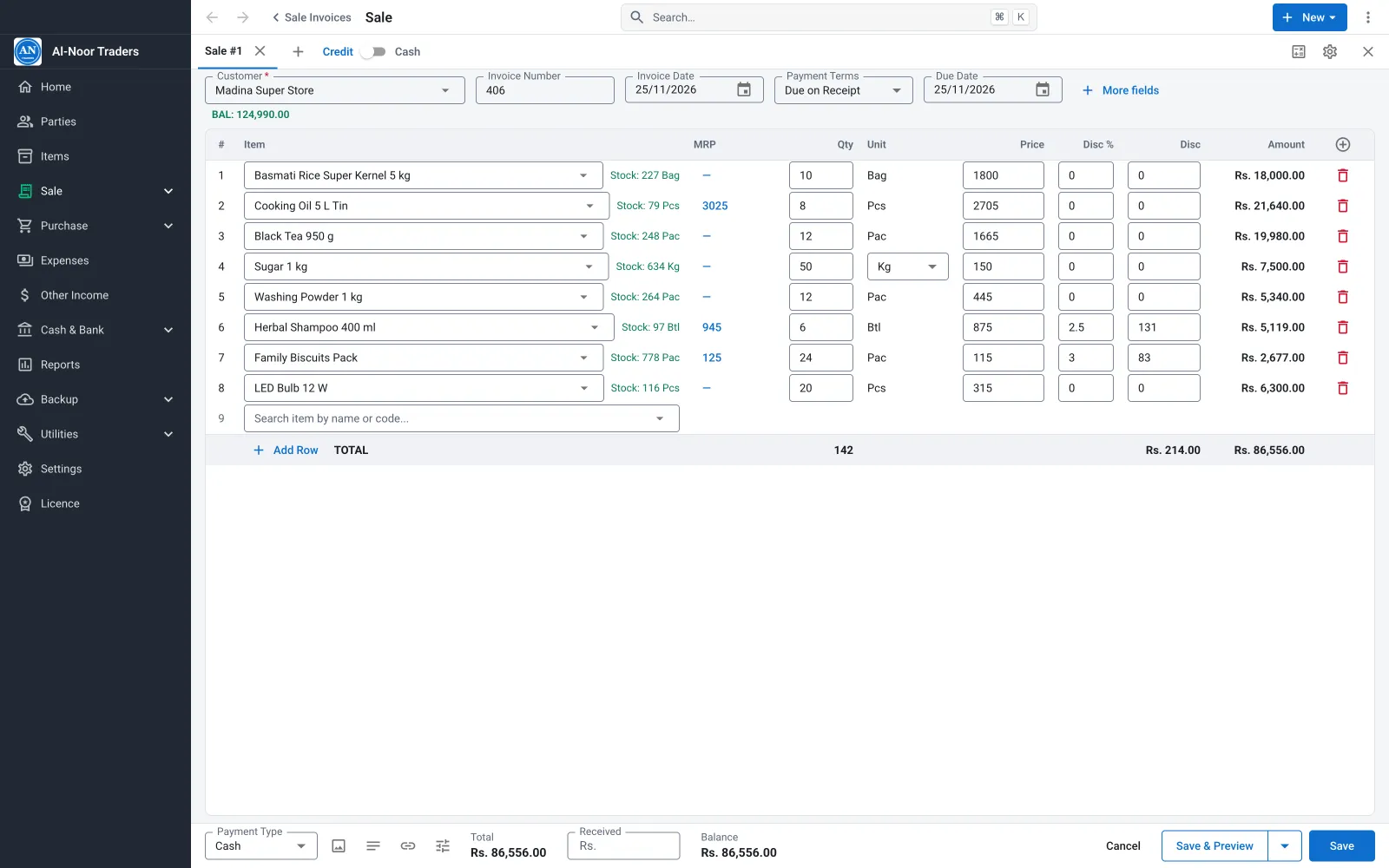
Sales and billing
Fast, keyboard-first billing for the counter and the office. Quotes, orders, challans and returns are there when you need them.
- Fast sale invoices
Bill from the keyboard with units, discount, tax, free quantity and round-off, on cash or credit.
- Payment In
Record money received, link it to the bills it pays and allow a discount on payment.
- Duplicate, PDF and preview
Copy any document, open it as a PDF or preview it as a delivery challan.
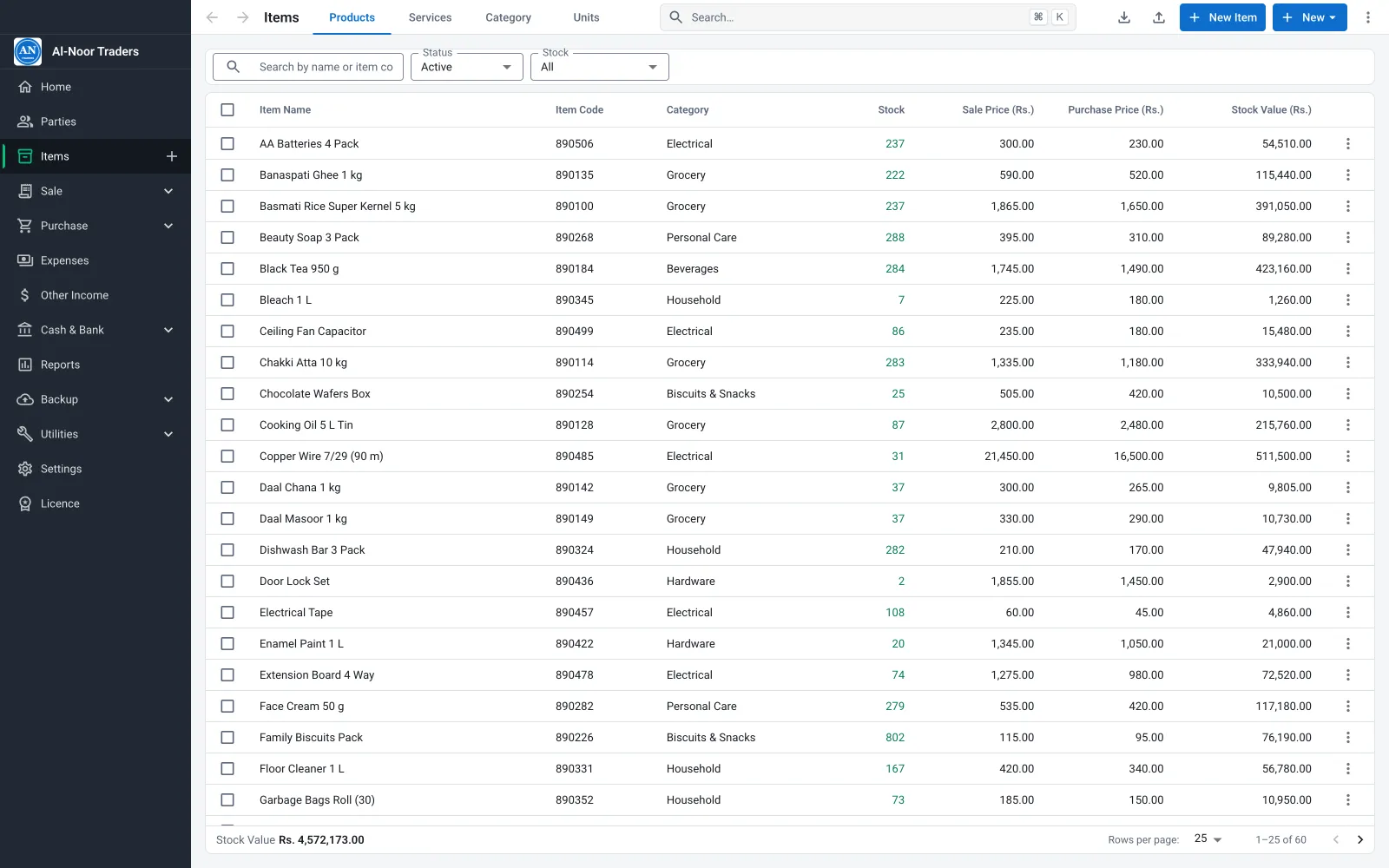
Items and stock
Products and services with units, codes, batches and expiry. Stock moves with every bill.
- Products and services
Keep items with categories, codes, descriptions and images, and mark old ones inactive.
- Stock tracking and alerts
Know your stock value at any time and get a warning when an item runs low.
Turn on in Settings - Batch, expiry and serials
Track batch number, expiry, manufacturing date, MRP, size and serial or IMEI number.
Turn on in Settings
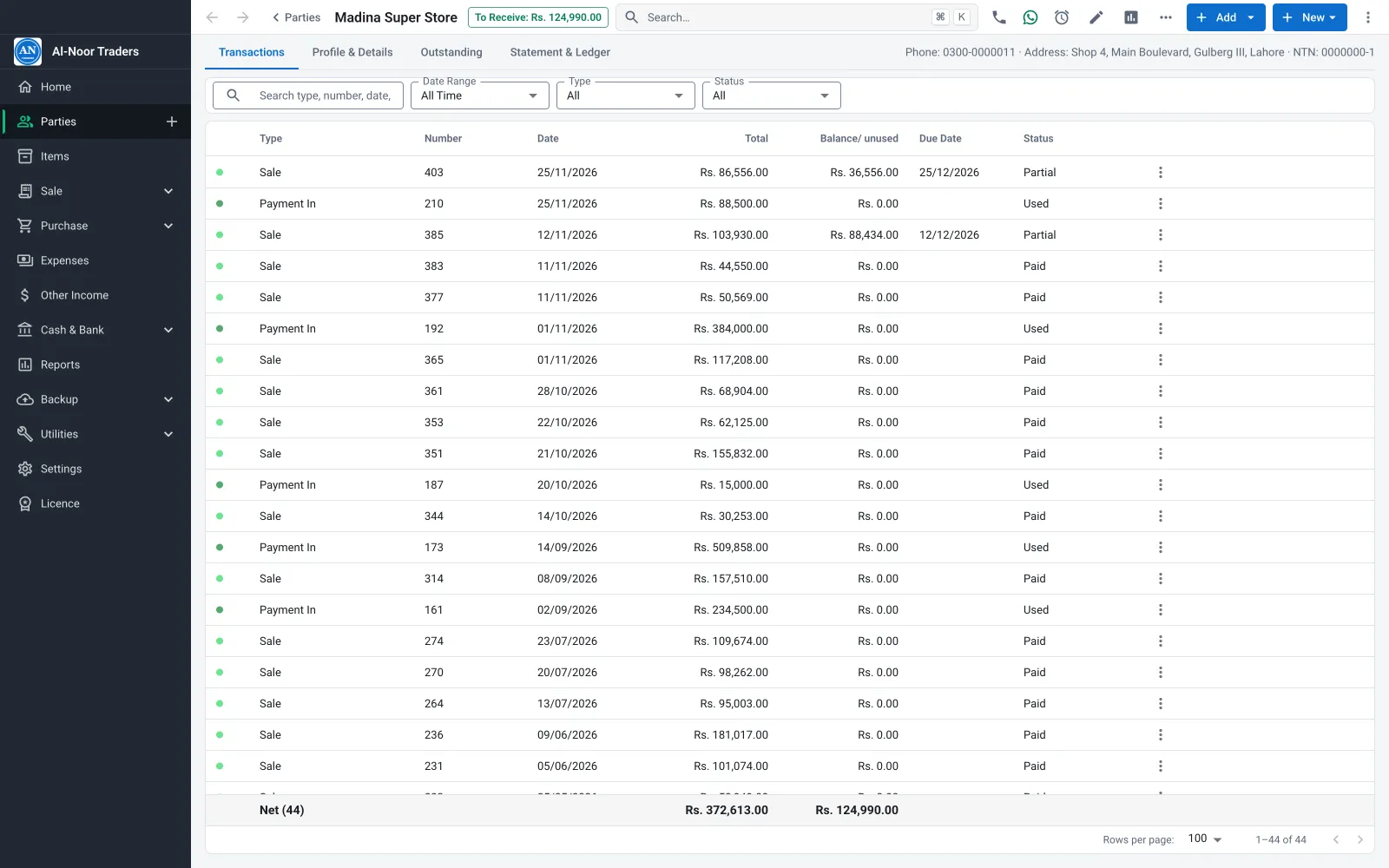
Parties
Every customer and supplier with a running ledger, so you always know who owes what.
- Customers and suppliers
Opening balance, money to receive or pay, and a running ledger for every party.
- Party statement
Print or save a clear statement for any party and date range.
- Share on WhatsApp
Send a party's details, your bank details or a sale ageing list on WhatsApp.
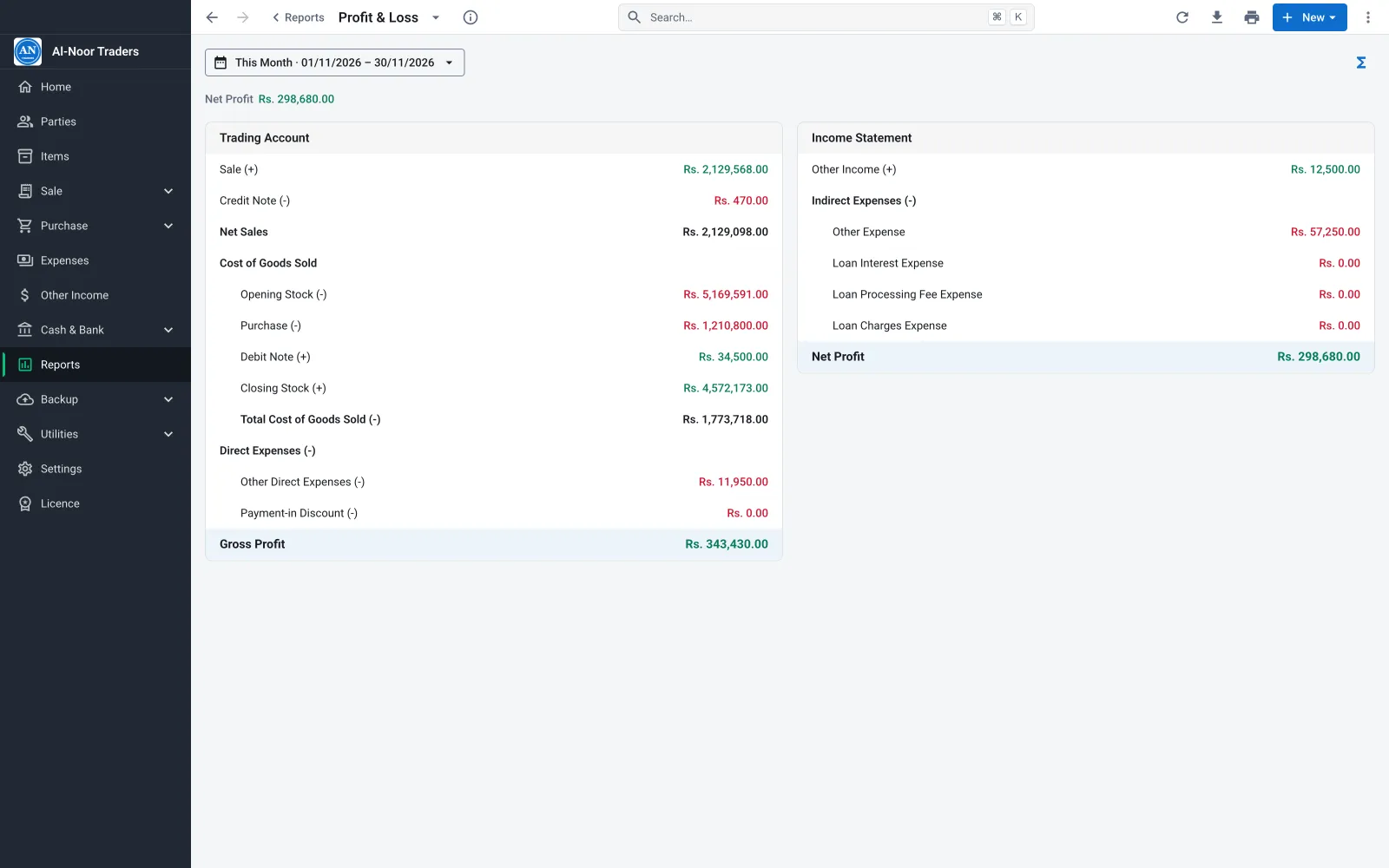
Reports
42 reports, from day book to balance sheet. Every report prints, saves as PDF and exports to Excel or CSV.
- Business status reports
Bank statement, discounts and tax reports for any period.
- Stock and item reports
Stock summary, low stock, batches, serials, item-wise profit and discounts.
- Print, PDF and Excel
Print any report, save it as PDF, or export it to Excel or CSV.
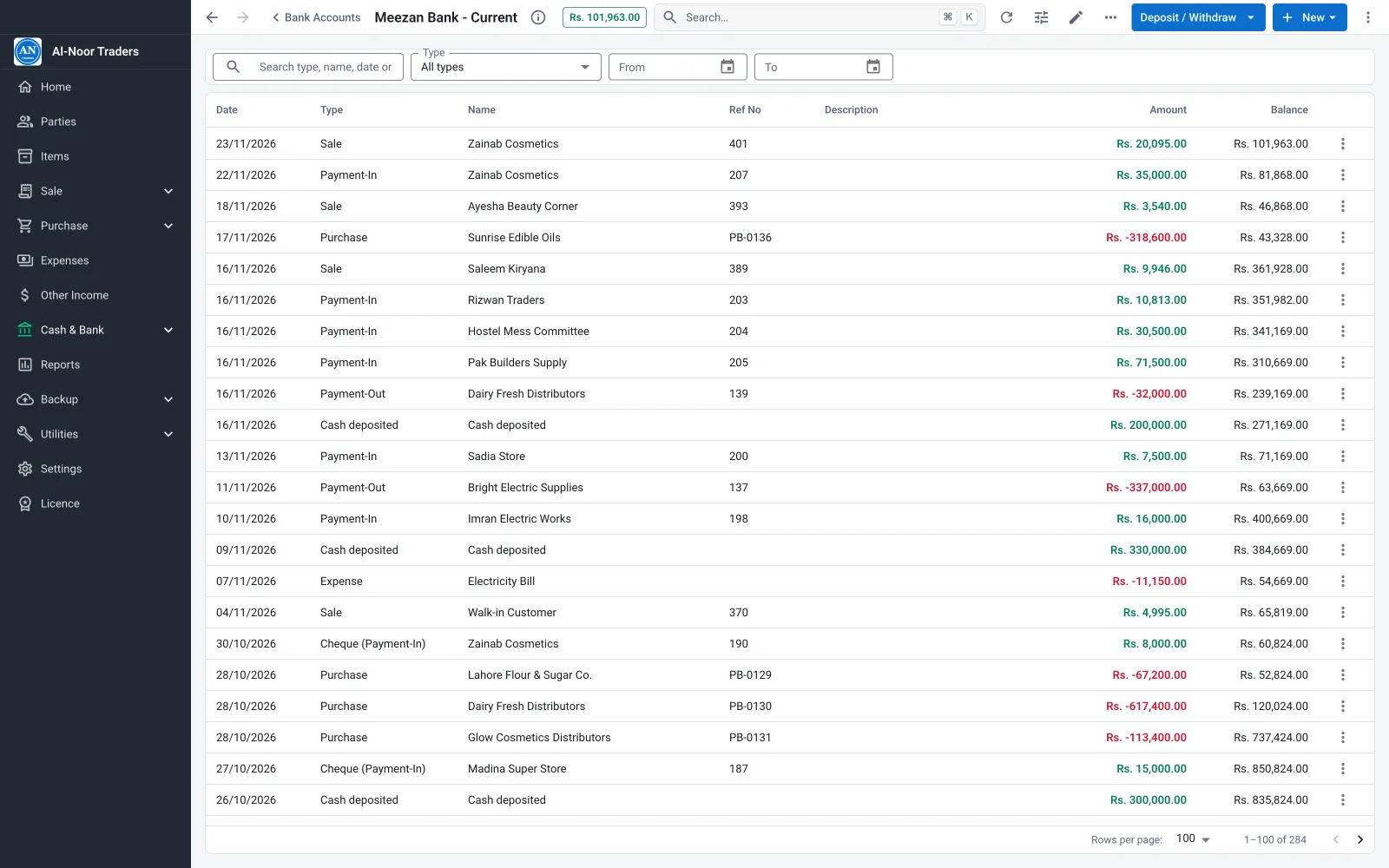
Cash and bank
Cash in hand, bank accounts, cheques and loans in one place, always matching your books.
- Bank accounts
Record deposits, withdrawals and transfers, and share your bank details on WhatsApp or e-mail.
- Cash in hand
See the cash you should have, and adjust it after counting the drawer.
- Cheques
Follow every cheque received or paid until it is deposited or transferred.
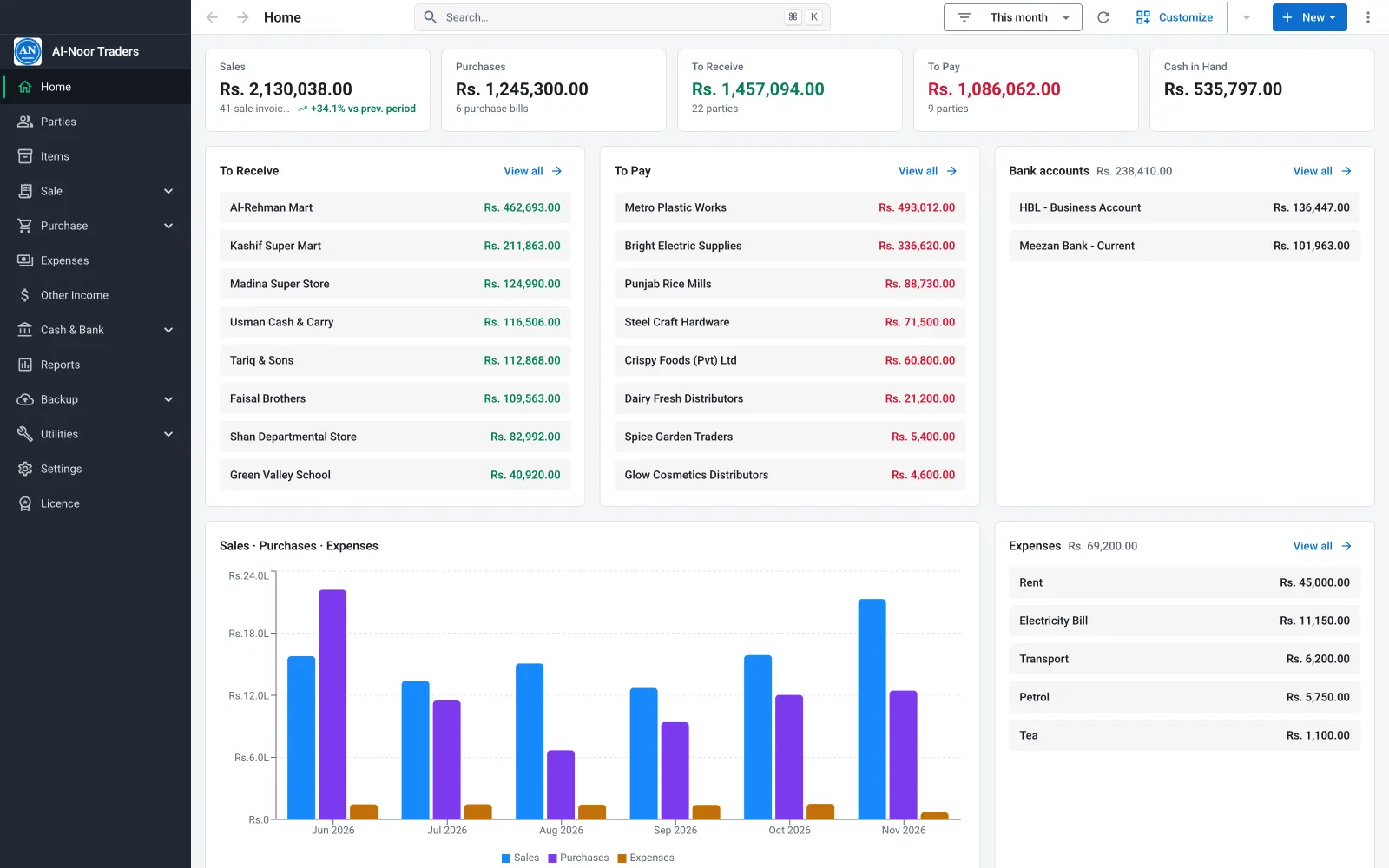
Dashboard
Open Trader and see how the business is doing today, on one screen.
- Key figures at a glance
Sales, purchases, money to receive, money to pay and cash in hand, compared with the last period.
- Who owes whom
Lists of who owes you, whom you owe, bank balances, expenses, other income and loans.
- Sales and purchase trend
A simple chart shows which way the month is going.
Start billing in three steps
Install Trader
Download the installer and run it on your Windows PC. It takes a few minutes.
Bring your data
Copy your companies from Trader v8, import parties and items from Excel, or start fresh.
Make your first bill
Add a sale, print it or share the PDF. Your free trial runs for 30 days.
Simple plans, paid once per term
Trader Solo — Yearly
One shop, one computer · 1 year
Rs 7,999
was Rs 9,999
for 1 year
Offer ends 31 December 2026
Sales, purchases, expenses and stock
Reports, bill printing and backups
Works offline on one computer
Renew once a year
Trader Sync — Yearly
Desktop + mobile (coming soon), always in step · 1 year
Rs 11,999
was Rs 14,999
for 1 year
Offer ends 31 December 2026
Everything in the desktop package
Mobile app for the same business (coming soon)
Desktop works offline on one computer
Renew once a year
Trader Team — Yearly
Several computers, one firm · 1 year
Rs 21,599
was Rs 26,999
for 1 year
Offer ends 31 December 2026
Sales, purchases, expenses and stock
Reports, bill printing and backups
Up to 5 computers in one firm
Renew once a year